Editing a Dashboard
You can edit a dashboard after it has been created to rename the dashboard or manage widgets in the dashboard.
To edit a dashboard:
- On the main page, click the tab for the dashboard you want to edit.
- Click the
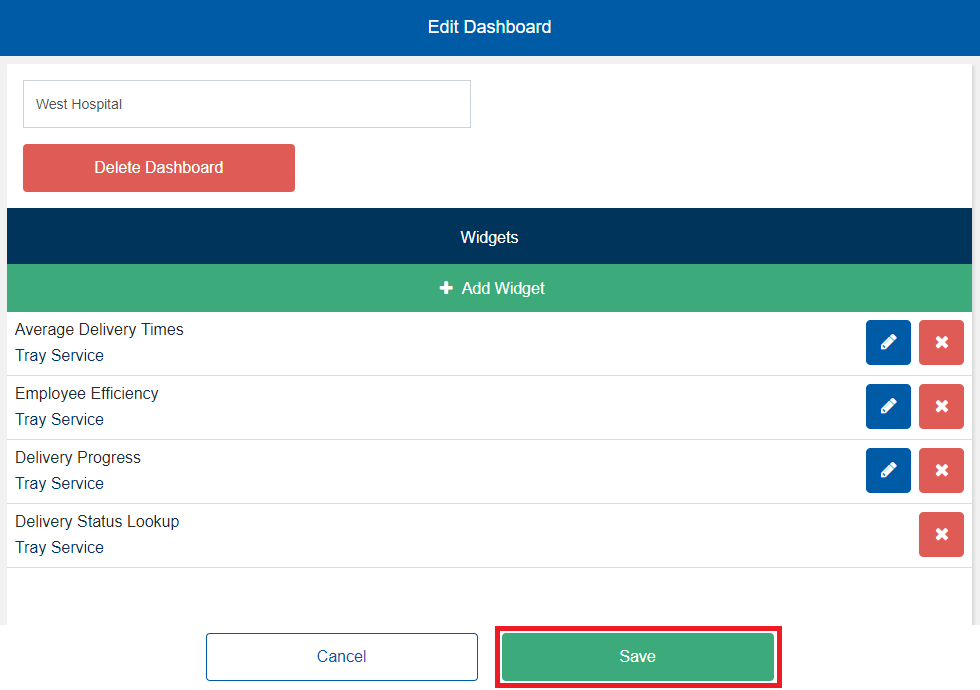
 icon. The Edit Dashboard screen appears.
 - If you want to rename the dashboard, in the Dashboard Name box, enter a new name for the dashboard.
- Under Widgets, manage widgets in the dashboard as follows:
- If you want to add a widget to the dashboard, continue to Adding a Widget to a Dashboard.
- If you want to edit a widget in the dashboard, continue to Editing a Widget on a Dashboard.
- If you want to remove a widget from the dashboard, continue to Removing a Widget from a Dashboard.
- When you are done editing the dashboard, click Save.