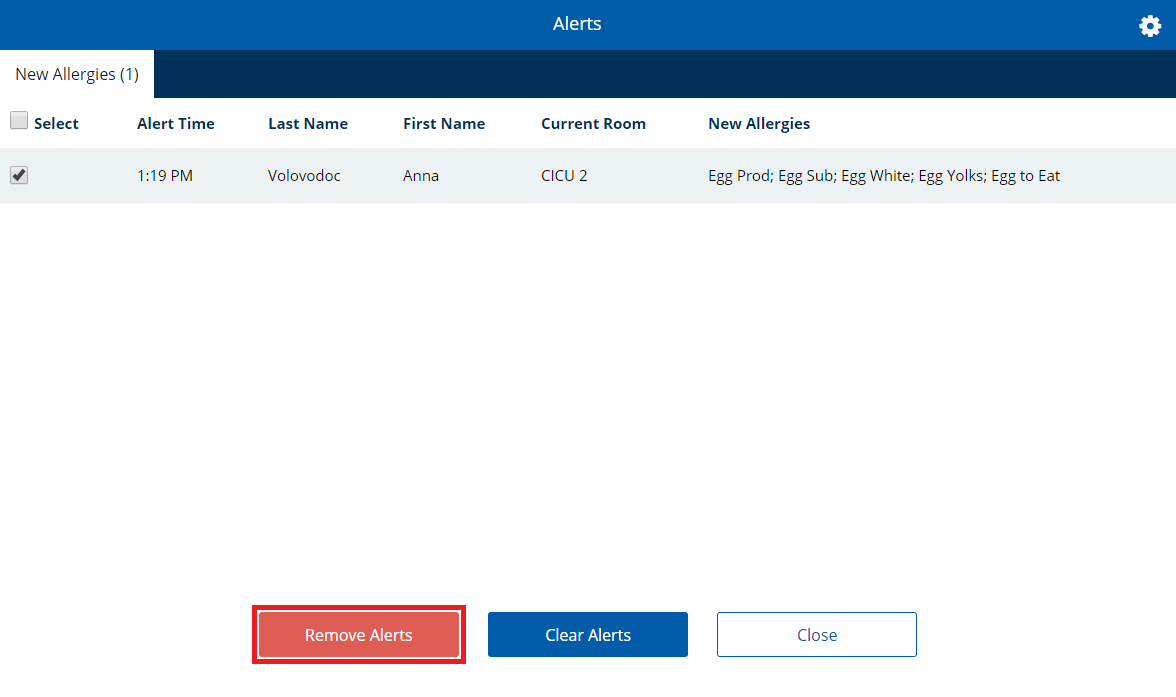
Clearing Alerts
If alerts are available to be viewed, but are no longer necessary, you can clear out all alerts.
To clear alerts:
- If the alerts icon displays at least 1 alert available, open the Alerts dialog as follows:
- If on the Full Patron List or Quick Search page, click the alerts icon
 . The Alerts dialog appears.
 - If on a patron record, click the alerts icon.
The Alerts dialog appears.
- If on the Full Patron List or Quick Search page, click the alerts icon
- Click the tab containing the alert(s) you want to remove.
- Click to select the check box for the alert you want to remove.
- If you want to remove all alerts on the tab, click to select the check box to the left of Select.
- Click Remove Alerts.
The selected alerts are immediately removed and the dialog closes.